
Flea and worming reminders
Flea, tick, and worming reminders that keep protection on schedule.
Monthly chews, topicals, collars, and dewormers all run on different intervals. Give each product its own reminder, log the date it was given, and see at a glance when the next one is due.
Download on the App Store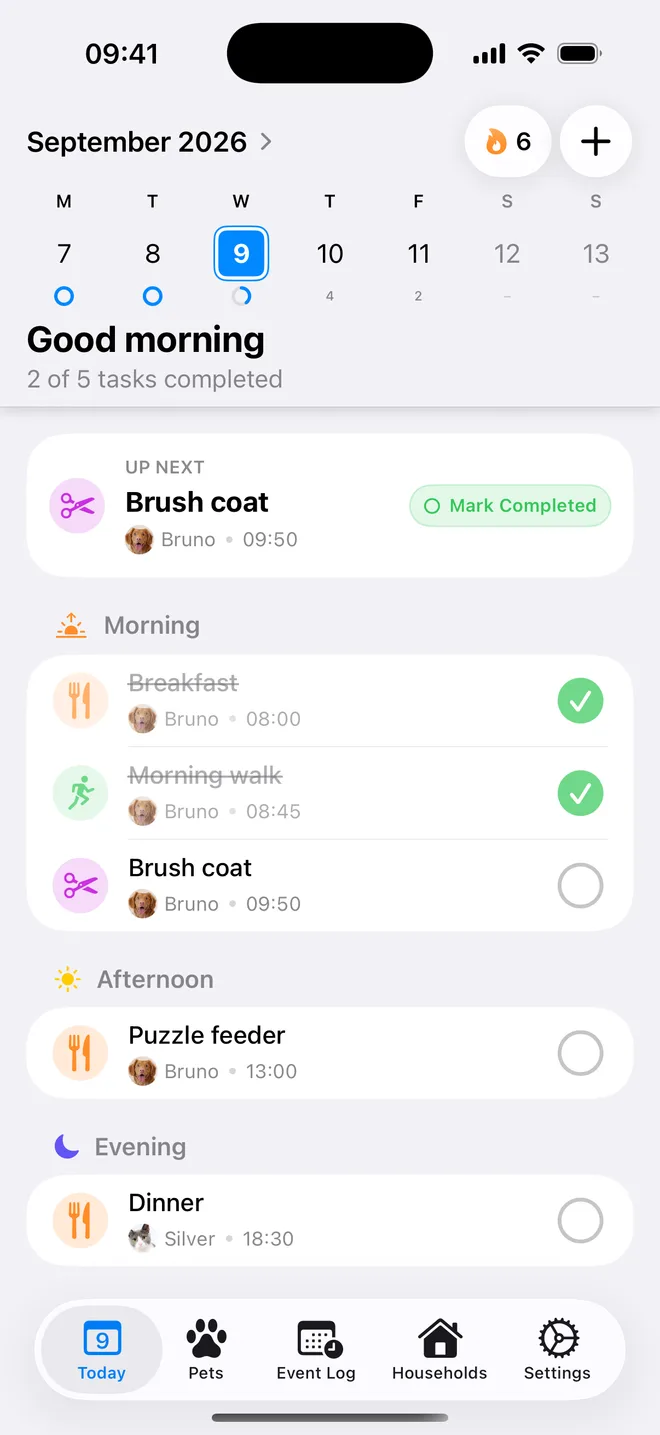
How it works
Three steps, then it runs itself.
Step 1
Add each product
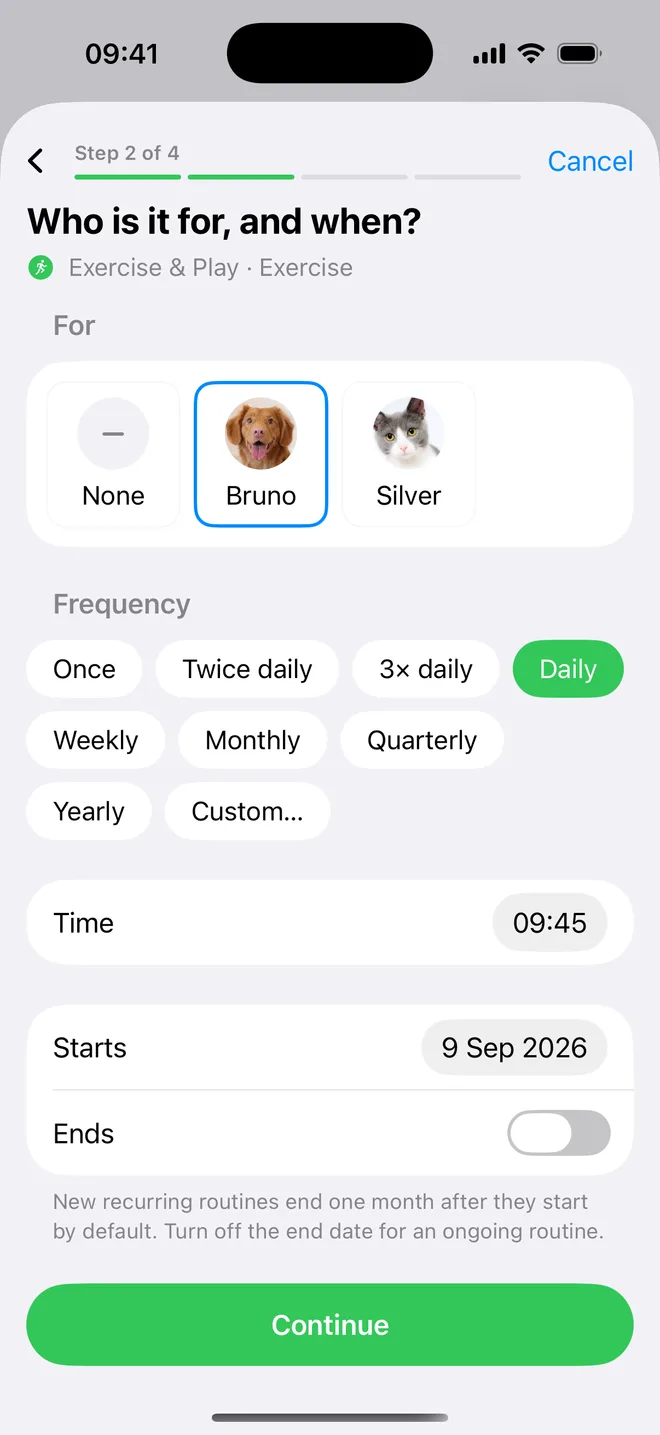
Create a separate routine for the flea and tick product and the dewormer, using the interval on the label.
Step 2
Get reminded
A reminder arrives on the due date, so treatment does not depend on remembering the day of the month.
Step 3
Log what was given
Mark the treatment done when it is given, so you always know the date of the last dose.
Every interval
One schedule per product.
Monthly, quarterly, or longer-lasting products each repeat on their own interval, starting from the date you choose.
- Set a routine
- Get reminded
- Mark it done
At a glance
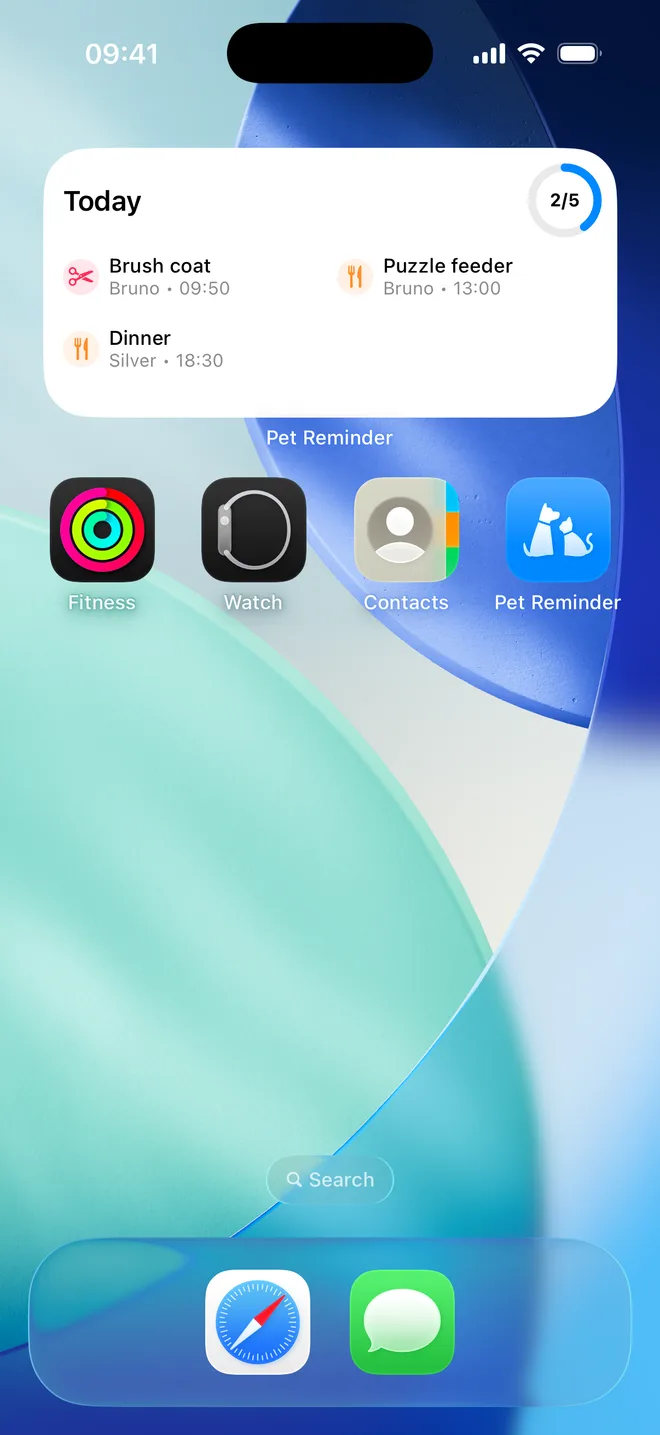
See the next treatment from your Home Screen.
Home Screen widgets show what is coming up next, and anything missed stays visible until it is done.
- Home Screen widgets
- Flexible routines
- Catch up calmly
Questions
Can I track flea treatment and worming separately?
Yes. Give each product its own routine so different intervals never get mixed up.
What if I forget a treatment?
Missed care stays visible until it is marked done. Check the product label or ask your vet before giving a late dose, then log it so the next reminder is based on the real date.
Can I set reminders for several pets?
Yes. Each dog or cat gets their own routines, and the Today view brings everyone's upcoming care together.
Helpful guides
- Dog Flea and Worming Reminder: A Simple ScheduleSet up flea and worming reminders that track each product separately, log what was actually given, and catch refills before a gap starts.
- I Forgot My Dog's Flea Treatment: What Happens and What to DoWhat to do after a missed dog flea treatment, how a gap can lead to bites or a home infestation, and when to call your vet before the next dose.
- Missed or Late Cat Flea Treatment: What to DoLate or missed cat flea dose? Check the label, decide whether to give it now, reset the schedule, and know when to call your vet.
- Dog Flea and Tick Treatment Schedule by MonthWhen to give dog flea and tick prevention each month, whether to treat year-round or seasonally, and what to do if a dose is late.

A little less to remember. A lot more peace of mind.